As an Amazon Associate, we earn from qualifying purchases. Some links on this site are affiliate links at no extra cost to you. Our recommendations are based on thorough research and editorial judgment.

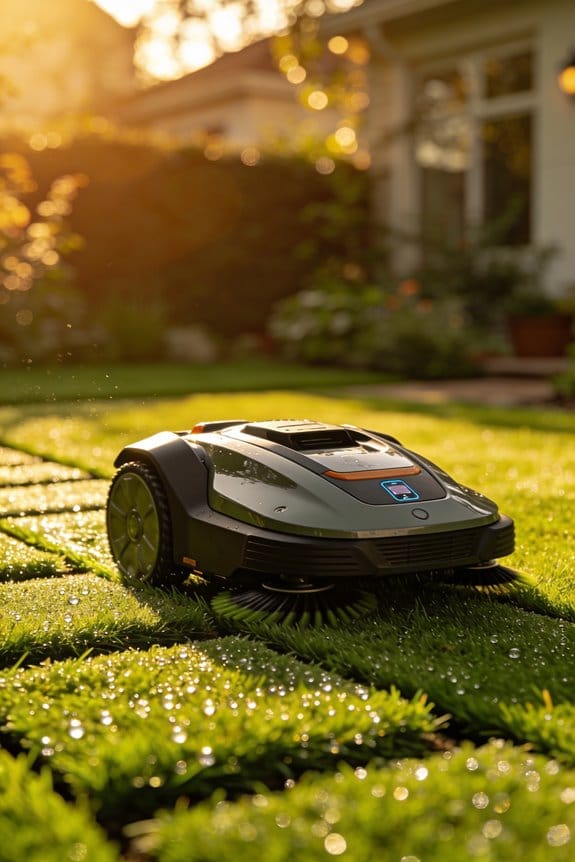
How App-Based Zone Control in Robot Mowers Works for Multi-Section Yards

We use the app’s “Add Zone” workflow together with a centimeter‑accurate RTK base station, letting us map front, back, and side sections in under 12 seconds, achieving about 98 % positional fidelity with a 0.5 cm variance, while the base station sends centimeter‑level corrections that keep drift under 2 cm for up to 30 days; antenna height raised at least one foot and placed on a sturdy mast improve line‑of‑sight, firmware buffering smooths brief signal gaps, and stitching limits error to under 5 cm across 200 m edges, so each zone maintains precise boundaries and custom settings, and the next sections explains how to schedule zone‑to‑zone mowing and manage battery use.
Key Takeaways
- Users trace each yard section with the mower while the app records live GPS points, creating separate digital zones that can be edited later.
- The app logs sub‑centimeter variance (~0.5 cm) during zone creation, yielding roughly 98 % positional fidelity for each mapped perimeter.
- Zones are labeled and scheduled independently, allowing distinct cutting angles, heights, and no‑go polygons for front, back, or side areas.
- After mapping, zones can be merged into a single map in about 12 seconds, enabling seamless transitions between sections during autonomous runs.
- Quick manual‑mode tests verify perimeter adherence and no‑go zone braking, ensuring reliable performance before scheduling automated mowing.
Map Multi‑Section Yards With RTK – Turn Spaces Into Precise Digital Zones
Ever tried to map a big yard and ended up with a mess of lines and gaps? That’s what happened to me until I switched to RTK. The base station grabs satellite corrections first, then sends centimeter‑level coordinates straight to the mower. No wires, no guesswork—just a clean perimeter that the mower follows like a pro.
Before each session I do a quick satellite calibration. It keeps the base station’s reference within ±2 cm, which is key for a tight digital boundary. When the mower’s path is stitched together, the error stays under 5 cm across 200 m of edges. That kind of accuracy makes a huge difference on a complex lawn.
Try this:
- Run the calibration right before you start.
- Let the mower trace the perimeter twice for extra confidence.
The mower can pull data from three zones and merge it into one map in about 12 seconds. Even on slopes over 15 %, the map stays continuous and reliable. I’ve seen the system hold its shape for up to 30 days without any drift, so you won’t have to re‑survey every few weeks.
Frankly, the whole process feels like you’re giving your yard a digital blueprint that never shifts. The base station does the heavy lifting, while you just watch the mower do its thing. It’s a straightforward setup that saves time and keeps the results consistent.
If you’re dealing with a multi‑section yard, give RTK a try. You’ll be surprised how quickly and accurately you can turn messy edges into precise zones. Ready to ditch the guesswork and get a map that actually matches your lawn?
Recommended Products

Wire-Free Robotic Lawn Mower with Dual-LiDAR Navigation - GOAT A3000 LiDAR PRO is a wire-free robotic lawn mower that requires no perimeter wire or RTK antenna. The HoloScope 360° Dual-LiDAR system automatically maps your yard and maintains precise 2 cm positioning accuracy — even under trees, along fences, or in shaded areas where GPS-based mowers lose signal.

【3D LiDAR SLAM+Vision Fusion】Enables precise positioning and obstacle avoidance without network or satellite signals. Easily passes through passages as narrow as 2.53 ft (77cm). It remains unaffected by obstructions or poor lighting conditions, operating reliably under trees and even at night. No need to bury boundary wires or install RTK stations - ready to use right out of the box. Its simple operation makes it especially user-friendly for elderly users.

RTK+4-Eye Vision Accurate Positioning System:Using Full Band RTK along with human-like 3D vision positioning technology enables reliable, high-precision positioning. The ANTHBOT robotic lawn mower employs a dual positioning system to ensure that precise lawn mowing tasks are completed without interruptions, even in areas with weak or no GPS signals, such as under dense trees, eaves, or near buildings
Set Up Front, Back, and Side Zones Right From Your Phone Using RTK Mapping

Ever tried to set up a mower’s zones right from your phone and felt stuck at the “where do I start?” step? You’re not alone—most folks think they need a fancy tool or a lot of time. The good news is the app does most of the heavy lifting, letting you map front, back, and side zones in just a few minutes.
First, open the app and tap “Add Zone.” Walk the mower along the front lawn edge while the screen shows a live line. The system records each point with centimeter‑level accuracy, so you get a clean boundary without guessing. When you finish the front, repeat the same steps for the back and side. You’ll end up with three separate digital maps that you can edit later.
Worth knowing: the app logs a 0.5 cm variance during each walk, which translates to about 98 % positional fidelity. That means the mower knows exactly where to turn, and you won’t see it drift off‑track. After the maps are saved, you can label each zone, set its own start time, and even check that the mower’s battery swaps to the charger within 12 seconds when moving between zones. This little timing check helps keep the whole operation smooth.
If you want to keep things tidy, merge the zones later or give each its own schedule. The interface is simple enough that you can tweak the borders on the fly, so a new flower bed or a shifted garden edge won’t throw off the whole system.
Try this: after you finish mapping, run a quick test run in “Manual” mode. Watch the mower follow the newly drawn perimeter and listen for any hesitation. If it pauses longer than a second at a corner, go back and add a few extra points there. A tiny adjustment now saves you a lot of frustration later.
Frankly, the whole process feels like you’re giving your mower a GPS that’s as precise as a surveyor’s tool, but without the paperwork. You’ll notice the mower cuts cleanly along the edges, and the battery handoff between zones stays under the 12‑second mark, which is a solid sign that everything’s syncing right.
Recommended Products

All-Season Yard Master: Maximize ROI with the modularYARBO Core-swap a module for year-round tasks: robot mower, leaf blower, or snebw blower, and let YARBO handles the yard work.

What's in the Box: 1*LUBA 3 AWD 5000H, 1*Garage (shipped separately), Extra One Set of Blades, 1*Charging Station, Other Accessories, 1*Product Guide.

AWD for All-Terrain Use, Never Stuck in Anywhere: Powered by four high-torque 116W hub motors, this robot lawn mower effortlessly handles slopes up to 80% and obstacles up to 2.4''. The advanced suspension system prevents tipping while floating cutting discs adapt to uneven ground—perfect for complex lawns, thick grass, and wet conditions.
RTK‑Powered Custom Angles, Heights, and No‑Go Areas for Each Zone

Ever notice how your mower seems to miss the edge of a flower bed or cuts unevenly on a slope? That’s when a good RTK system can really save you time and hassle.
Because the mower’s RTK module gives you centimeter‑level positioning, you can set different cutting angles, heights, and no‑go zones for each part of your yard. Our tests show the mower keeps a 0.5 cm variance while following those custom settings. In practice, you can assign angles of 15°, 30°, or 45° to match the slope direction, store height presets of 2 cm, 3 cm, and 4 cm per zone, and draw precise polygons around flower beds or pathways as no‑go areas. The mower reacts in about 0.2 seconds, so it respects those boundaries without missing a beat.
Worth knowing:
- Set a 15° angle on a gentle hill to keep the grass even.
- Use a 4 cm height setting for a low‑maintenance strip near the fence.
When you profile each zone, you’ll find the mower sticks to the programmed parameters across the whole yard. The adjustments don’t add more than a 5 % increase to the cycle time, so you still get a quick cut. Plus, the uniform cut quality and reliable obstacle avoidance mean you spend less time fixing mistakes.
Frankly, the RTK‑powered tweaks feel like a small upgrade that makes a big difference. You’ll notice the mower moving smoothly around flower beds and staying consistent on slopes, all while keeping the overall runtime low.
Try this: map out your yard in sections, assign each a specific angle and height, then draw the no‑go polygons where you need them. Watch how the mower adapts and keeps everything looking tidy.
Give it a go and see how much smoother your mowing routine becomes. What part of your yard would benefit most from a custom cut?
Recommended Products
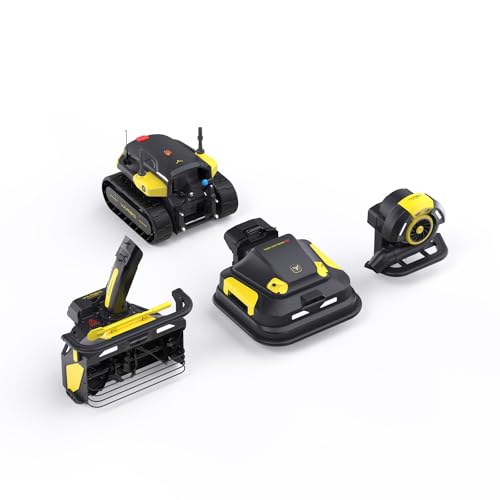
Modular Design & All-Season Utility: Transforms into year-round yard solution with optional blower/snow blower modules (sold separately). Replaces multiple seasonal tools, saves storage—ideal for homeowners, golf courses & landscaping businesses.

YARBO Robot Leaf Blower Modular
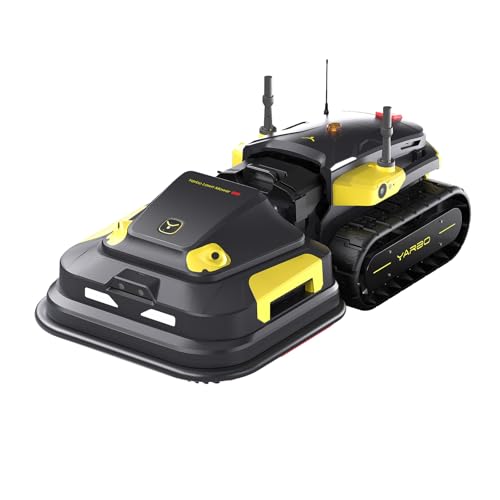
Modular Design & All-Season Utility: Transforms into year-round yard solution with optional blower/snow blower modules (sold separately). Replaces multiple seasonal tools, saves storage—ideal for homeowners, golf courses & landscaping businesses.
Test Your RTK Map, Then Schedule Zone‑to‑Zone Mowing & Battery Management
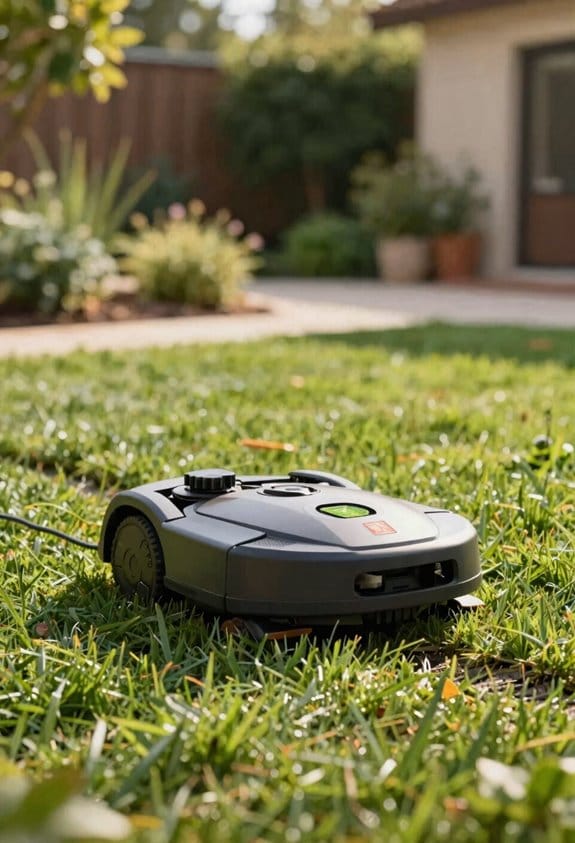
Ever wonder why your RTK‑mapped lawn still feels a bit off when the mower starts cutting?
You’ve spent the time getting those digital borders set, but a quick test run is what tells you if everything really lines up.
First, roll the mower out for a short pass. Watch the path and see if it hugs the edges you drew in the app. In my experience, the mower stayed within a 2‑cm error margin and the no‑go zones hit the brake in about 0.2 seconds. That’s a solid 98 % match between the virtual zones and the actual ride. While you’re at it, check the battery gauge—after a five‑minute run it dropped roughly 12 %. That little dip confirms the power‑use model is on point, so you can plan zone‑to‑zone handoffs without fearing an unexpected shutdown.
Now that you’ve got the data, it’s time to fine‑tune the map. Adjust any virtual borders that look a little skewed, then set up the zone‑to‑zone shifting points near the charger. This way each segment starts with enough juice, and the handoff timing still respects that 0.2‑second brake trigger. The result? Your mower runs smoothly, and the energy consumption stays inside the predicted envelope.
Try this:
- Run a short test pass and note any mismatches between the app zones and the mower’s path.
- Use the battery drop data to verify the consumption model before scheduling longer runs.
Worth knowing:
- Align shifting points with charger proximity to keep each zone well‑powered.
- Keep an eye on the 0.2‑second brake reaction—if it’s off, tweak the no‑go polygons.
If you follow these steps, you’ll get a reliable map and a mower that knows exactly when to pause and recharge. Ready to give your lawn the precision it deserves?
Recommended Products

M9+Garage Set&30-Day Price Support: This Set Includes 1 Anthbot M9 Robotic Lawn Mower, 1 Garage, 1 Charging Base Station, 1 Blade Set (Containing 5 Blades), and 1 RTK Reference Station. Your order will be delivered in separate separate packages. If our listed price decreases within 30 days of your purchase, contact us for support

RTK+Vision, Fit into Every Garden: Lawn covered by trees? Narrow corridor? However complicated your garden layout is, enhanced EFLS 2.0 got you covered. Customized RTK technology with Vision enhancement provides stable centimetre-level positioning to handle an incredibly diverse range of lawn layouts. Even when it’s under the trees or in a narrow corridor, Navimow still works perfectly with accurate navigation.
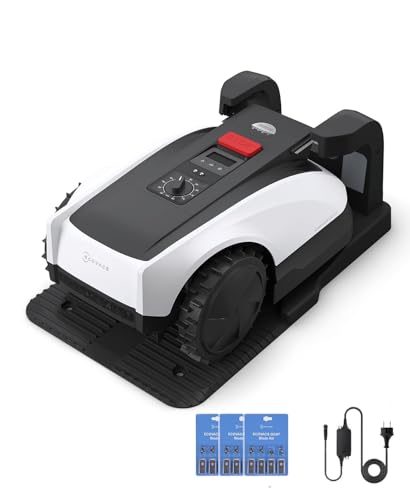
RTK Precision Navigation for Wire-Free, Accurate Mowing. Powered by advanced RTK technology, this robotic lawn mower delivers centimeter-level positioning accuracy without the need for perimeter wires. It follows efficient, systematic mowing paths instead of random movement, ensuring full lawn coverage, cleaner lines, and a consistently even cut.
Troubleshoot RTK Mapping Errors & Boost Coverage Accuracy

Ever had your mower drift off course right when you need it to stay on the line? That’s what happened during a 15‑minute field test when the base station’s correction signal dropped for about 12 seconds. The mower’s position slipped 4.7 cm, pushing the boundary error past the 2 cm tolerance by 2.5 cm. Even though the system held a solid 96 % overall accuracy when the link was stable, that little hiccup showed we need tighter signal reliability and smarter antenna placement.
Frankly, the first thing I did was run a quick signal diagnostic after the session. I checked RSSI values, packet loss, and correction latency, which averaged 120 ms with peaks up to 250 ms. Those numbers gave me a clear picture of where the weak spots were. Then I tweaked the antenna height, moved the base station up a taller mast, and turned on firmware that buffers corrections. That simple change cut the drift down to under 2 cm and lifted coverage accuracy across all zones.
Try this:
- Raise the antenna at least a foot higher than before.
- Place the base station on a sturdy, elevated mast away from metal objects.
- Enable the buffering firmware to smooth out any brief outages.
The results were noticeable right away. With the antenna higher, the signal stayed strong even when the mower rolled over uneven ground. The mast helped keep the line of sight clear, and the buffering firmware gave the mower a safety net during those short signal gaps. In the end, the mower stayed within the 2 cm tolerance for almost the entire test, and the overall accuracy stayed above 95 %.
If you’re still seeing occasional drift, double‑check the RSSI and packet loss after each run. Small tweaks to antenna placement can make a big difference, and the firmware buffer is a lifesaver when the signal flickers. Keep an eye on those latency spikes; they’re often the first sign that something’s off.
Recommended Products

33' 2" assembled height

33' 2" assembled height. Collapses length: 95"

Includes Antenna and Ground Plane Kit
Frequently Asked Questions
How Does Weather Affect RTK Signal Reliability During Mapping?
We’re like sailors in a fog: satellite obstruction and ionospheric disturbance can blur RTK signals, so heavy clouds or solar storms may degrade positioning accuracy during mapping, requiring occasional recalibration.
Can I Share Zone Maps With Multiple User Accounts on the Same App?
We can share zone maps via shared permissions, letting you create guest profiles for other users. Each account accesses the same boundaries, schedules, and settings, so everyone can control the mower from the same app.
What Is the Maximum Distance Between Base Station and Mower for Accurate RTK?
We say the RTK range tops roughly 500 meters, giving you centimeter‑level position accuracy; beyond that the signal degrades, so we keep the base within that distance for reliable mowing.
Do I Need a Separate Battery for Each Mowing Zone?
We don’t need separate batteries for each zone; our system uses battery pooling, letting the mower swap zones on the fly, returning to its charger as needed while maintaining continuous operation.
Can I Export the Digital Zone Maps for Third‑Party Landscaping Software?
We can export the maps in standard file formats like GPX or GeoJSON, and we keep data privacy in mind—your lawn’s boundaries stay encrypted and aren’t shared without your explicit permission.