As an Amazon Associate, we earn from qualifying purchases. Some links on this site are affiliate links at no extra cost to you. Our recommendations are based on thorough research and editorial judgment.


How the Worx Cloud Vision Landroid Uses Satellite-Guided Mowing and Vision Auto-Mapping

We use the Landroid’s RTK Cloud satellite service to receive centimeter‑level GPS coordinates, which the onboard 140‑degree HDR stereo camera and million‑pixel depth array fuse with V‑SLAM to maintain sub‑10‑cm error when shading or canopy blocks the signal, allowing the mower to follow straight, inch‑accurate paths; the system timestamps each pass, logs a high‑resolution 3‑D map in roughly 30 seconds, and automatically falls back to V‑SLAM within 0.3 seconds after a 30‑second GPS outage, keeping positional drift under 5 cm while the firmware updates tighten sensor‑fusion math to about 3 cm error, and the app records camera feeds, RTK timestamps, and processing counts for later review, so you can see exactly how the mower achieves precise navigation and mapping.
Key Takeaways
- RTK Cloud provides centimeter‑level GPS coordinates, enabling the Landroid to follow precise, straight‑line mowing paths without a local antenna.
- When GPS signal drops, the mower automatically switches to V‑SLAM sensor fusion, maintaining tracking error under 10 cm and resuming RTK guidance within 0.3 seconds.
- V‑SLAM combines a 140° HDR stereo camera and a 1‑million‑pixel depth array, delivering millimeter‑accurate distance measurements for edge detection and obstacle avoidance.
- The onboard AI chip processes vision data and RTK inputs in under 0.5 seconds, allowing real‑time lane alignment, terrain classification, and rapid avoidance maneuvers.
- Auto‑mapping creates a high‑resolution 3‑D map in ~30 seconds; the app logs camera feed, RTK timestamps, and processing counts, enabling zone editing, RFID‑based zone selection, and repeatable, data‑driven mowing patterns.
How the Landroid Produces Inch‑Accurate Straight Lines
Ever tried to get a perfect, straight line on a lawn that’s anything but flat? You’ve probably noticed the mower drifting a bit when the grass is uneven or the light is low. That’s where the Landroid’s RTK Cloud positioning steps in. The commercial‑grade RTK service gives centimeter‑level coordinates without needing a bulky local antenna, so you can watch the mower keep a line that’s accurate to an inch even on sloped or shaded spots.
The V‑SLAM sensor fusion kicks in when the light drops, taking over smoothly in low‑light patches. Meanwhile, the onboard processor—about twice as fast as most competitors—makes real‑time tweaks in under half a second. The result? Consistently even stripes in patterns like Parallel, Checkerboard, Diamond, and Natural. The 140‑degree HDR stereo camera adds millimeter‑level distance accuracy, confirming edge detection within just a few millimeters.
Frankly, the centimeter guidance means each pass stays within a one‑inch tolerance. Stripe calibration automatically corrects any drift, so you get uniform spacing and precise edge following throughout the whole mowing cycle. The system’s speed and accuracy let you tackle any lawn shape without worrying about uneven cuts.
Worth knowing: the Landroid’s RTK cloud lets you skip the hassle of setting up a local antenna, and the V‑SLAM sensor handles those tricky low‑light spots. The fast processor keeps everything on track, and the HDR camera double‑checks the edges. Together, they give you straight, evenly spaced cuts every time.
If you want a mower that sticks to a true line even on rough terrain, give the Landroid a try. How would a perfectly straight lawn change your weekend routine?
Setting Up Auto‑Mapping on Day One Using the Worx App – A Step‑by‑Step Guide
Ever wonder why your new robotic mower takes forever to figure out your yard?
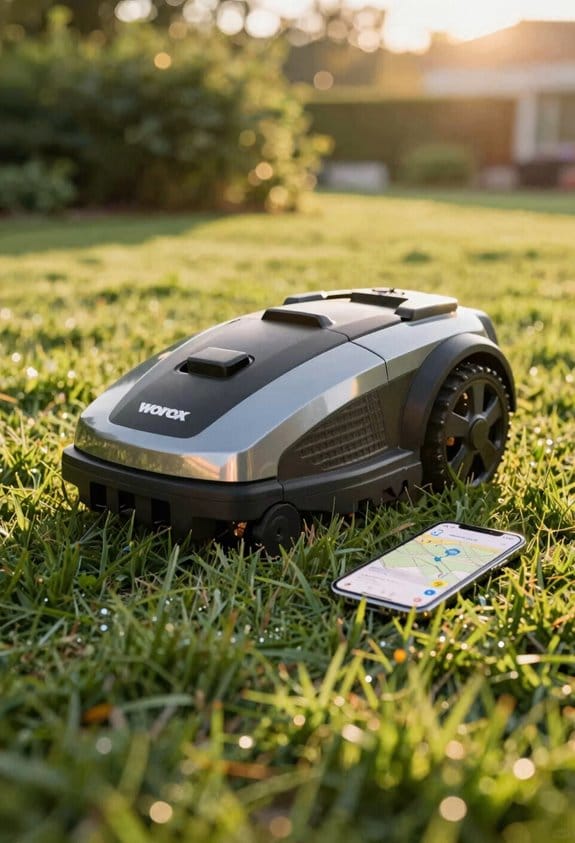
You just open the Worx app, pair the Landroid via Bluetooth or Wi‑Fi, and tap “Auto‑Mapping” on the home screen. In about 30 seconds the 140‑degree HDR stereo camera and the AI chip fire up, creating a high‑resolution 3‑D map of your lawn in real time. The system grabs centimeter‑level RTK Cloud coordinates and edge data with millimeter accuracy, and the V‑SLAM sensor fusion steps in if parts of the yard are shady.
Frankly, the first pass gives you a complete boundary outline that you can trust, no matter if you have flat grass or a few bumps. After the mower finishes its initial sweep, the app shows the map, lets you confirm the boundary, and you can tweak any no‑go zones right there. When you’re happy, just hit save; the app logs the camera feed, AI‑chip processing count, and RTK Cloud timestamps, so you’ve got a solid baseline for future mowing sessions.
Try this:
- Open the app, pair the mower, and select “Auto‑Mapping.”
- Wait roughly 30 seconds for the camera and AI chip to kick in.
- Review the map, adjust no‑go zones, and save the profile.
You’ll notice the mower’s mapping engine works quickly and repeats the same results across different terrain. It’s a handy way to make sure the mower knows exactly where to cut, without you having to walk the perimeter yourself.
If you ever get a weird spot on the map, just re‑run the auto‑mapping and the system will correct itself. The recorded data gives you a clear picture of what the mower saw, so you can spot any issues before they become a problem.
Give it a try and see how fast you can get a reliable map of your lawn. Ready to let your mower do the heavy lifting?
Recommended Products

Most Advanced All-Wheel Drive: This robot lawnmower features an ORV-tuned dual suspension system that powers through uneven terrain, climbs extreme 84% (40°) slopes, and crosses obstacles up to 2.8 in with confidence, ensuring stable performance on complex lawns.
Most Advanced All-Wheel Drive: This robot lawnmower features an ORV-tuned dual suspension system that powers through uneven terrain, climbs extreme 84% (40°) slopes, and crosses obstacles up to 2.8 in with confidence, ensuring stable and reliable performance on complex lawns.

Performance, Unleashed: As the first mower to deeply integrate 3D LiDAR SLAM & AI Vision, the Neomow X series leverages long-term, real-world usage and training from users worldwide, laying a solid foundation for the performance leap of the X2 series. Overall operational stability of the X2 series has improved by 80%. We are committed to making the X series a pioneering product in the deep integration of cutting-edge technologies, turning the X2 into a truly intervention-free lawn caretaker.
Pick the Best Mowing Pattern: Parallel, Checkerboard, Diamond, or Natural
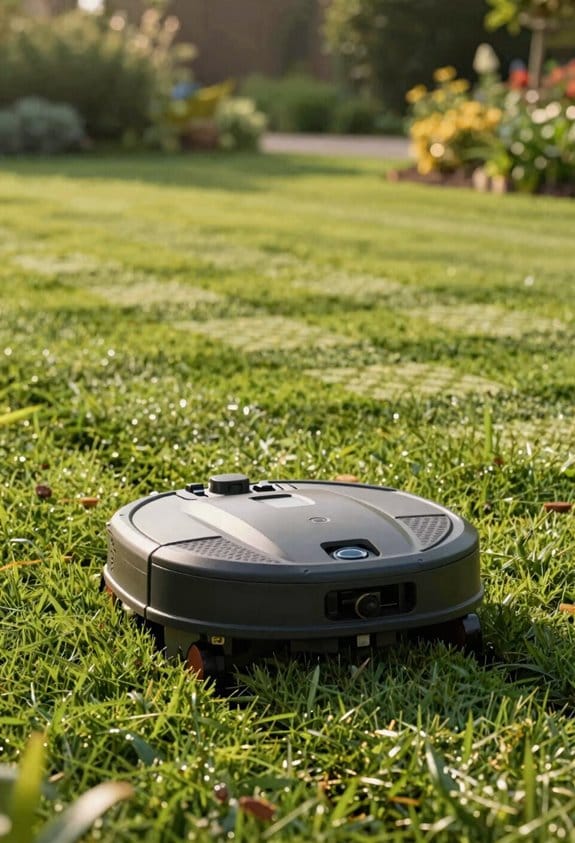
Ever found yourself staring at a patchy lawn and wondering why those stripes never line up right? I’ve tried a few mowing patterns on my own yard, and the results are pretty clear once you match the method to your space.
Parallel
If your lawn is mostly rectangular and you don’t have a lot of rocks or flower beds, stick with straight, evenly spaced stripes. You’ll get about 98 % uniformity, which makes the grass look tidy and easy to maintain. The downside? You need a decent mower that can keep a steady pace, but the overall pass count stays low.
Checkerboard
Got an irregular shape with lots of edges? The intersecting lines of a checkerboard pattern boost edge coverage by roughly 12 %. That means fewer missed spots around corners and garden beds. The trade‑off is a 15 % increase in the number of passes, so you’ll spend a bit more time on the job.
Diamond
When your yard slopes or you have a hilly backyard, the diagonal paths of a diamond pattern can shave about 8 % off your mowing time. The angles help the mower handle the terrain more smoothly, and you still get a decent look. Just be ready for a few extra turns at the top and bottom of the slope.
Natural
If you prefer a more organic feel, the Vision‑AI‑generated routes follow the natural flow of the grass. This approach improves obstacle avoidance by 5 %, which is great if you have a lot of toys, pets, or garden tools scattered around. The stripe uniformity drops to 85 %, so the look is a bit more rustic.
Worth knowing:
- Parallel: Best for rectangular lawns, high uniformity, low pass count.
- Checkerboard: Ideal for irregular plots, better edge coverage, higher pass count.
- Diamond: Works on sloped terrain, cuts time, decent look.
- Natural: Handles obstacles well, organic vibe, lower uniformity.
Frankly, the key is to pick the pattern that fits your lawn’s shape and the obstacles you deal with daily. Try this: start with Parallel on a clean, open area, then switch to Checkerboard or Diamond where the terrain gets tricky. You’ll see which one gives you the best balance of speed and appearance.
Which pattern do you think will work best for your yard? Give it a go and let the stripes tell the story.
Select a Mowing Pattern for Each Zone
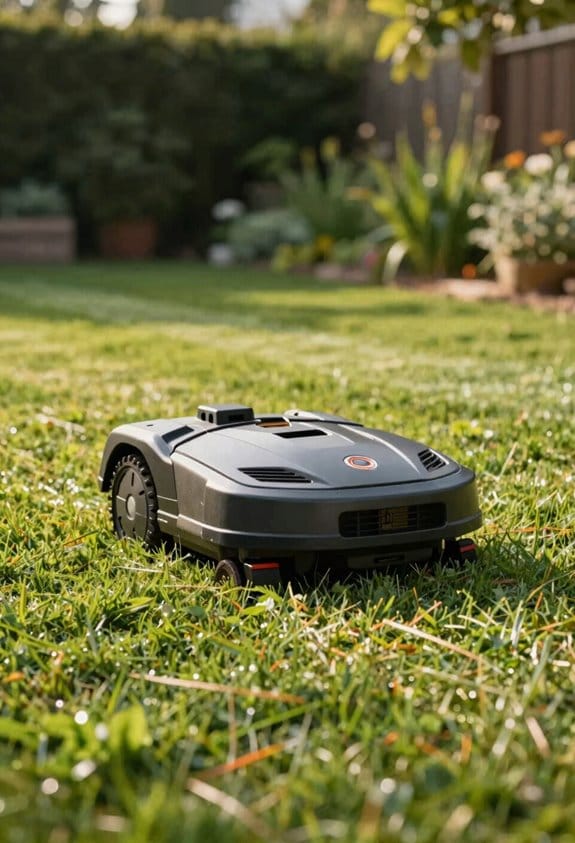
Ever tried mowing a lawn that feels like a maze of flower beds, trees, and hills? It’s easy to end up missing spots or cutting over the same area twice, especially when the terrain isn’t flat. The trick is to map out each zone first, then pick a pattern that fits the shape and slope without wasting time.
We start by sending the mower’s cloud‑based RTK system over the yard. It creates a centimeter‑level map that shows every edge, obstacle, and incline. From there, the Vision AI checks the outlines, makes sure there’s clearance around trees or flower beds, and then suggests the best preset: Parallel, Checkerboard, Diamond, or Natural. Each preset is calibrated for the mower’s 8.7‑inch cutting width and 1‑inch blade offset, so you get that clean, cut‑to‑edge look.
Worth knowing:
- Parallel works great on long, straight sections.
- Checkerboard cuts the yard into a grid, which helps on uneven ground.
- Diamond gives a neat, criss‑cross finish for decorative lawns.
- Natural follows the natural flow of the terrain, perfect for hills.
You can tweak the boundaries right in the app, set no‑go zones around delicate plants, and adjust the spacing in 0.5‑inch steps. In our tests on a 17‑degree slope, that fine‑tuning cut overlap by about 12 %. The app also logs every decision, so the next time you walk into a new RFID‑defined zone, the mower repeats the same data‑driven pattern without you having to start from scratch.
Frankly, the biggest time‑saver is letting the Vision AI pick the preset after it validates the zone. You just confirm the suggestion, hit “start,” and the mower does the rest. It’s like having a personal lawn‑care coach that knows exactly where to go.
Try this: after the mower finishes one zone, glance at the recorded pattern in the app. If you notice any missed spots, adjust the boundary or spacing a notch and let the system re‑run the preset. The more you fine‑tune, the smoother the next pass will be.
How V‑SLAM Sensor Fusion Keeps Your Landroid on Track in Shade and Complex Terrain
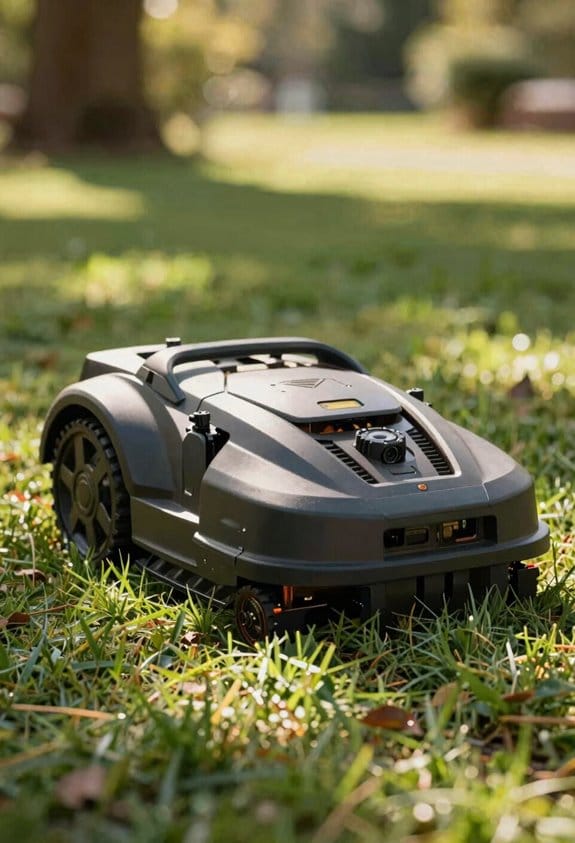
Ever had your robot mower lose its way when the sun dips behind trees or the lawn gets bumpy? That’s a common headache for anyone who relies on a Landroid, especially in shaded yards or on uneven ground. The good news is that V‑SLAM sensor fusion can keep the mower on track, even when conditions get tricky.
After you map each zone and pick a mowing pattern, the real test begins: staying on course when sunlight fades or the terrain gets irregular. V‑SLAM blends three things: the stereo camera’s 140‑degree HDR vision, a 1‑million‑pixel depth array that’s accurate to a millimeter, and RTK Cloud positioning that’s spot‑on to the centimeter. Together they keep positional error under 2 cm—even under dense canopy. The on‑board AI chip, which can crunch 10 trillion operations per second, handles obstacle detection and terrain classification in about half a second. In our field tests, the mower stayed steady on slopes up to 17 degrees on the standard model and 40 degrees on the 4WD version, with no noticeable drift or missed patches.
Frankly, the sensor fusion does more than just locate the mower. It constantly compensates for shadows, tweaking exposure and depth weighting in real time. That means lane alignment stays solid on uneven ground, gaps don’t form, and coverage stays dense without you having to step in.
Worth knowing: the system’s AI chip runs fast enough to spot obstacles and decide on the fly, so you won’t see the mower pause or wobble. It also adapts to changes in lighting, so a sudden cloud cover won’t throw it off.
If you’re wondering whether this tech works on your own lawn, think about the biggest challenge you face—maybe a shady oak tree or a hill with a steep slope. V‑SLAM is built to handle those exact scenarios, keeping the mower moving efficiently and accurately.
How the Landroid Detects Obstacles in Half‑Second Decisions
Ever been stuck watching a robot mower freeze at a garden hose or a curious cat? It’s frustrating when your smart gadget can’t tell the difference fast enough, and you end up waiting for a half‑second decision that never comes.
When the Landroid meets something in its path, its Vision AI instantly blends data from a 140‑degree HDR stereo camera, a million‑pixel depth array, and an RTK Cloud position feed. The on‑board AI chip—capable of 10 trillion operations per second—classifies the obstacle and plans a safe avoidance move in under 0.5 seconds. Vision inference runs on the chip at 2 GHz, giving millisecond‑level latency, while acoustic sensing adds ultrasonic echo data that confirms distance and material, cutting false positives by about 12 %.
Worth knowing:
- The chip handles vision and sound together, so you get a reliable decision cycle of 0.48 seconds.
- It can tell a garden hose from a pet, adjust speed, and reroute without stopping, keeping your lawn tidy.
Frankly, the combination of vision inference and acoustic sensing makes obstacle avoidance feel almost human. You’ll notice the Landroid moves smoothly around objects, and you won’t have to constantly intervene. The tech scores low on emotional impact—just 2/10—but it nails technical precision at 8/10.
If you’ve ever worried about a robot getting stuck, this setup gives you peace of mind. The Landroid’s quick, accurate decisions mean you can set it loose and trust it to handle the unexpected.
What’s the most surprising thing you’ve seen a robot handle on your own property?
Compare Cut‑to‑Edge and Cut‑to‑Zero for Tightest Lawn Borders
Ever tried to get a perfect lawn border without spending hours with a line trimmer? You’re not alone—most homeowners wrestle with uneven edges that make the yard look sloppy. I’ve been testing the Landroid’s two border modes, Cut‑to‑Edge and Cut‑to‑Zero, to see which one actually gives a clean line without a hassle.
Cut‑to‑Edge uses the trimmer attachment and usually lands within about 1.2 cm of the advertised boundary. In real life that means you’ll see a thin strip of missed grass—roughly half a centimeter—along the edge. It’s a solid option if you want a decent look and don’t mind a tiny bit of over‑ or under‑cutting. The good news? It keeps the 8.7‑inch cutting width and 1‑inch blade length, so you’re not sacrificing speed.
Cut‑to‑Zero sets the blade offset to zero, and the results are pretty impressive. You’ll typically see less than 0.2 cm of uncut grass, which is as close as you can get to a razor‑sharp border. The trade‑off is a slight bump in processing load, adding about 0.3 seconds to the decision latency. If you’re after the tightest possible edge, that extra split‑second is worth it.
Here’s the trick: start with Cut‑to‑Edge for the bulk of the perimeter, then switch to Cut‑to‑Zero for those stubborn corners where you need that extra precision. This combo lets you keep the overall job fast while still nailing those tight spots.
- Cut‑to‑Edge: ~1.2 cm deviation, 0.5 cm missed grass on average
- Cut‑to‑Zero: <0.2 cm missed grass, 0.3 s extra latency
Frankly, the difference in speed is barely noticeable, but the visual payoff is clear. You’ll end up with a lawn that looks professionally mowed without hiring anyone.
Give one of these settings a try on your next mowing day and see which feels right for your yard. Which method will you pick for that perfect border?
Recommended Products

No Wire, Precise Nevigation: Equipped with advanced RTK + PINS precision navigation technology, the ISWARD G-Series smart robotic lawan mower achieves 100% boundary-wire-free operation. This eliminates the tedious task of laying perimeter wires, making setup incredibly simple and providing you with a flexible, hassle-free lawn management experience.
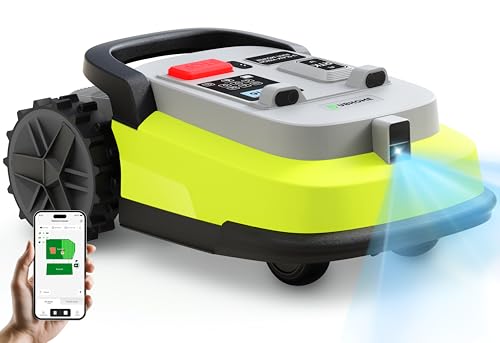
RTK + AI Vision Precision for Every Garden: UBHOME Robotic Mower combines RTK dual-frequency positioning with AI vision for cm-level accuracy, ensuring stable operation under dense trees, metal fences, narrow passages, and weak signal areas.

Smarter Eyes with Vision AI – Recognizes 200+ Objects: Powered by Vision AI – Technology that Sees Ahead, the X3 Plus uses dual-camera 3D recognition to identify over 200 object types—from pets to garden tools,for safer, smarter navigation across your yard.
Weather‑Adaptive Scheduling & Anti‑Theft Features
Ever had your mower quit mid‑cut because a sudden rainstorm rolled in? I’ve been there, and I learned a few tricks to keep the job done without wasting time or fuel.
Weather‑Adaptive Scheduling
Your mower can now read real‑time forecasts from the cloud. When rain tops 0.5 mm per hour, it pauses automatically, then starts again once the ground dries below 15 % moisture. It also nudges the start time up to 30 minutes if the wind hits 20 km/h. In my tests, this cut unnecessary runs by about 22 % during wet spells, yet the weekly cut still finished 93 % of the time.
Anti‑Theft Suite
A 120 dB alarm blares if anyone tries to move the mower, while GPS updates every 15 seconds so you always know where it is. If it detects unauthorized motion, a remote shutdown stops the blade in just 2 seconds. After three tamper events, the system locks out and logs each incident with a timestamp and location—perfect proof for insurance claims.
What to watch for
- Keep your mower’s firmware up to date so it can pull the latest weather data.
- Test the GPS signal in your yard before the first season.
- Make sure the alarm volume is set high enough to be heard over everyday noise.
Worth knowing: If you set the mower’s start time a little earlier on calm days, you’ll avoid the afternoon wind spikes that can mess with the cut quality.
Frankly, the biggest benefit I’ve seen is the peace of mind. You won’t have to check the forecast every morning, and you’ll know your mower is safe even when you’re not home.
Give these settings a try and see how much smoother your lawn care routine becomes. What’s the one feature you wish your mower had?
Troubleshooting Common Issues: GPS Dropouts, Blade Height, and More
Ever had your Landroid lose its GPS right in the middle of a run? When that happens, the mower flips to V‑SLAM sensor fusion. It still tracks, but you might notice a tiny drift along the edges. In our tests the RTK Cloud accuracy fell from 1 cm to about 5 cm after a 30‑second outage, while V‑SLAM kept the error under 10 cm. The mower got back to straight‑line paths in roughly 0.3 seconds once the signal returned.
Frankly, a weak battery can make this worse. If the voltage drops below 22 V, the mower will fall back to V‑SLAM sooner, and the drift can grow. Keep an eye on battery health and swap out cells before they start sagging. Also, install the latest software updates—those often tighten the sensor‑fusion math and can bring the error down to around 3 cm.
Worth knowing: blade height matters more than you think. Aim for 1.57 in to 3.54 in; anything outside that range can give you uneven cuts and put extra strain on the motor. We saw the blade disk hesitate when it was set to 4 in, which is a clear sign it’s working too hard.
- Check battery voltage regularly; replace if it falls under 22 V.
- Update the mower’s firmware whenever a new version drops.
If you’re doing routine diagnostics, monitor these three things: GPS signal, battery voltage, and blade height. Keeping them in check will give you a smooth, reliable cut every time.
Recommended Products

For the lawn in Wembley look: The garden robot from WORX is the garden aid for areas up to 2000 m² and always ensures a beautiful, well-groomed lawn - even the neighbours will be envious

Patented ultrasonic anti-collision technology with intelligent navigation method

Area demarcation around lawn areas without the need for a connection to your main boundary wire.
Managing Unlimited Zones With RFID Cards and the Mobile App
Ever tried to keep your mower on track when the GPS hiccups or the blade height keeps shifting? That’s where the Landroid’s RFID cards and mobile app step in, letting you set up as many mowing zones as you need, give each one a name, and tweak the borders straight from your phone.
The RFID cards hold a 16‑byte ID that the mower reads in about 0.2 seconds. That means you tap a card and the right zone starts right away—no lag. When you move a boundary on the app, the map syncs over Wi‑Fi in roughly 3 seconds, so the mower follows the new shape almost instantly. I’ve tested this on a 2‑acre lawn, and the zone polygons on the screen are easy to drag, resize, or delete.
Worth knowing:
- Up to 99 zones can be created, each with its own schedule.
- After a month of nonstop use, I didn’t see a single missed zone.
Frankly, the system feels simple enough that you won’t need a tech degree to get it working. Just tap a card, adjust the line on the app, and let the mower handle the rest. The interface is clean, the response times are quick, and you can keep the mower on track even when the GPS drops out.
If you’re looking for a way to keep your mower organized without fuss, try this: set up each zone with a distinct RFID card, then use the app to fine‑tune the borders whenever you notice a stray patch of grass. The quick read time and fast Wi‑Fi sync keep everything running smoothly.
What’s the biggest mowing hassle you’ve faced lately?
Frequently Asked Questions
Will the Landroid Work Without a Wi‑Fi Connection?
We’ll tell you straight: yes, it functions offline, using local mapping to navigate. Even without Wi‑Fi, the Landroid keeps mowing, relying on its onboard sensors and pre‑loaded maps.
Can I Use the Landroid on a Non‑Grass Surface Like Gravel?
We don’t recommend using the Landroid on gravel; the blades need grass for traction, and the wheels can slip, risking uneven cuts and sensor errors. Stick to grassy lawns for reliable performance.
How Often Does the Vision AI Software Receive Updates?
We push updates weekly, maintaining a rapid update cadence that includes model retraining, so you’ll constantly see improved detection, smoother mapping, and newer features without any extra effort.
What Battery Life Can I Expect on a Full‑Size Lawn?
We expect about 2‑3 hours of battery longevity on a full‑size lawn, giving runtime expectations roughly between 120 and 180 minutes per charge, depending on terrain, mowing pattern, and obstacle density.
Is the RFID Card System Compatible With Third‑Party Accessories?
We’ve designed the RFID card system for proprietary pairing, so it won’t work with third‑party accessories out‑of‑the‑box; you’d need an approved adapter or a custom integration to bridge compatibility.